
Sell the real room
Connect machine positions, capacity, booking rules, member spot selection, and waitlists to each scheduled class.
ClassFlow brings Xformer spot selection, booking, billing, programming, instructor preparation, and staff-reviewed follow-up into one studio platform.
The room layout, teaching method, and member history stay connected from booking through follow-up.
Connect machine positions, capacity, booking rules, member spot selection, and waitlists to each scheduled class.
Use your exercise library, coaching cues, templates, progressions, and class rules instead of a generic movement list.
Studio AI can prepare a class draft from approved studio material and recent programming. The instructor reviews it before teaching.
Members, instructors, and front-desk staff work from the same schedule and class details.
Publish the class, apply booking rules, and let members choose an available spot.
Review the roster, room, member notes, teaching focus, and class plan.
Use reviewed timing, transitions, equipment setup, and coaching cues.
Record attendance and keep intro progress, questions, and staff follow-up together.
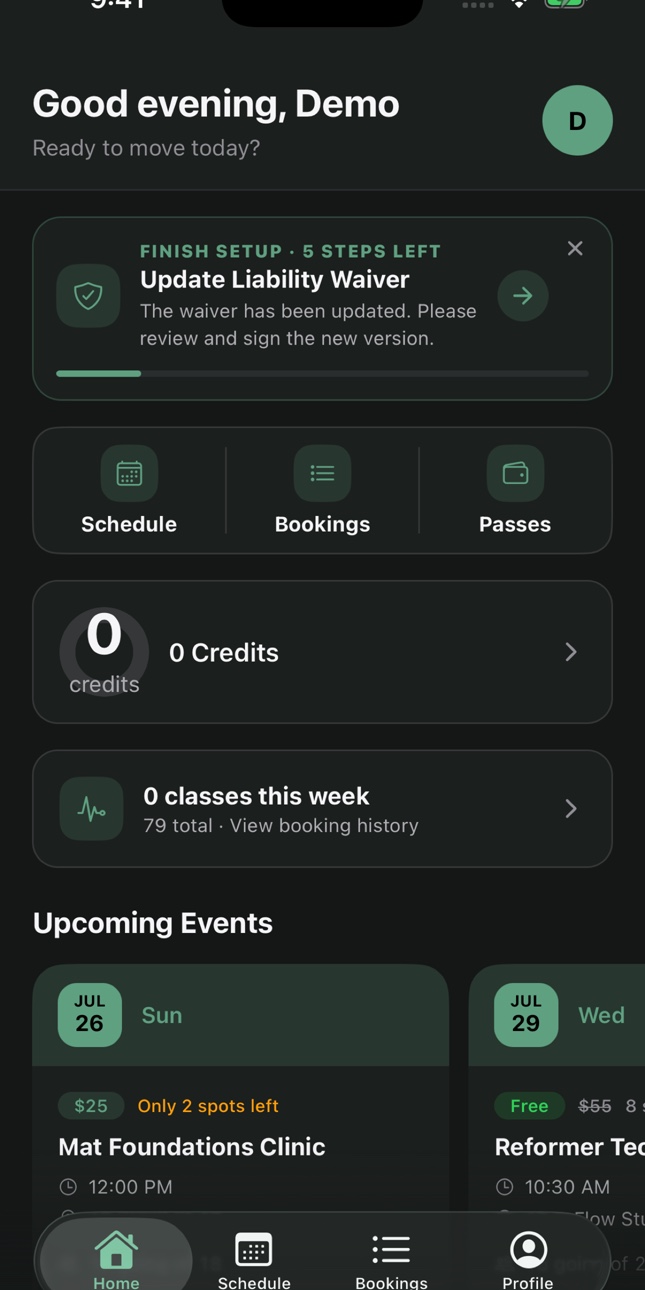
Your brand, every visit
Members book, buy packs and manage their account in your studio brand. Your team sees their visits, purchases and conversations together.
Branded web booking is included. Native iOS and Android app rollout is scoped separately.
Explore the member experienceBeyond the booking
Keep sales, member care, staffing and loyalty close to the classes and people they support.
Sales, CRM & shared inbox
Connect inquiries, conversations, intro purchases, bookings, recorded visits and membership follow-up, with a clear owner for the next step.
Explore sales, crm & shared inboxRetention & member care
See attendance changes, intro milestones and member history. Prepare a personal follow-up with the context your team needs.
Explore retention & member careStaff operations & payroll review
Coordinate instructor coverage, staff tasks and class preparation. Review instructor pay alongside the studio activity behind it.
Explore staff operations & payroll reviewLoyalty, rewards & referrals
Connect member milestones, loyalty rewards and referrals to the same visits and relationships your team already knows.
Explore loyalty, rewards & referralsYes. Studios can configure room layouts and let members choose an available spot when the class and booking rules allow it.
Yes. Programming can use the studio exercise library, cues, templates, progressions, and class rules. A qualified instructor remains responsible for the final class.
The setup and exploration period starts when your ClassFlow studio workspace is created. It is not a promise of free service until migration, go-live, or a first member payment. Full Platform list price is $399 per studio monthly. Billing begins only after you approve Full Platform activation; it does not begin automatically at go-live or after a first member payment. Exact terms, provider and data readiness, and any required manual setup are shown before activation. The setup and exploration period does not activate Connect products; each Connect product shows its own activation terms. Payment processing, managed email and SMS, provider-backed services, billable AI, native app rollout, and custom implementation are scoped separately before activation. Live email, SMS, and billable AI use require paid activation.
Open a setup workspace, explore the platform, and confirm migration and activation scope before paid services begin.